The Complete Technical SEO Checklist for 2026
A comprehensive technical SEO checklist covering site speed, crawlability, indexing, Core Web Vitals, and structured data. Updated for 2026.

AEO Strategy Lead & Co-Founder
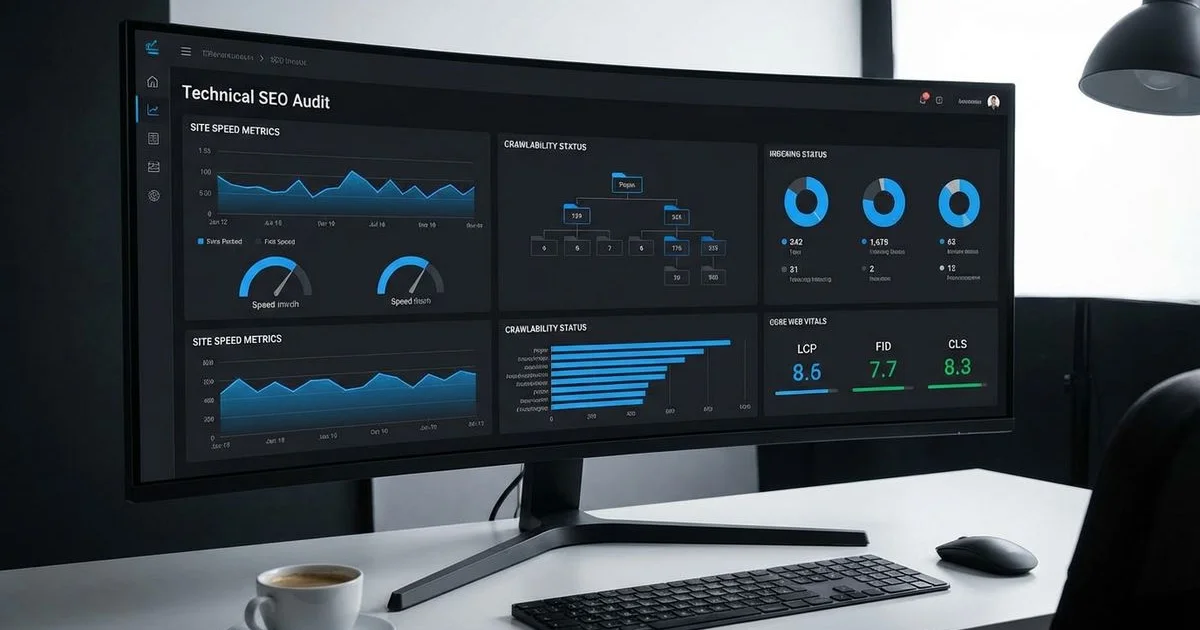
Technical SEO: The Foundation Everything Else Builds On
You can write the most compelling content in Hawaii, but it means nothing if search engines cannot find it.
We have seen incredible websites for Honolulu restaurants and construction firms fail simply because Google couldn’t crawl them efficiently.
Technical SEO is the infrastructure that determines whether your content competes or remains invisible. It is a core pillar of any effective organic SEO strategy.
A technically sound website is a strict requirement in 2026.
This is especially true with AI search engines now pulling live data from the web.
The following guide covers the essential elements of The Complete Technical SEO Checklist for 2026.
Use this as your quarterly audit manual to keep your digital presence in peak condition.
Crawlability and Indexing
Robots.txt Configuration
Your robots.txt file is the gatekeeper that tells search engine crawlers where they are allowed to go.
We often see local business sites accidentally blocking their entire image library or CSS files here.
Blocking the wrong resources prevents Google from “seeing” your site the way a user does.
This can disastrously impact your rankings.
Best Practices for 2026:
- Verify Accessibility: Ensure the file is live at
yourdomain.com/robots.txt. - Allow Critical Resources: explicit
Allowrules for your/wp-content/uploads/or similar media folders are often necessary. - Protect Sensitive Areas: Block admin paths like
/wp-admin/or/cart/to save crawl budget. - Link Your Sitemap: Add
Sitemap: https://yourdomain.com/sitemap_index.xmlat the bottom of the file. - Test Frequency: Run the file through Google Search Console’s tester whenever you launch a new site section.
XML Sitemap
An XML sitemap acts as a roadmap for search engines to discover your pages.
We find that outdated sitemaps are a primary cause of “Discovered - currently not indexed” errors in Search Console.
Modern SEO requires sitemaps that are dynamic and clean.
Optimization Checklist:
- Automate Updates: Use plugins like RankMath or Yoast to auto-generate sitemaps when you publish new content.
- Clean the Index: Exclude “NoIndex” pages, redirects, and 404 error pages to prevent confusing the crawler.
- Prioritize the
<lastmod>Tag: Google relies heavily on the “Last Modified” date to know when to recrawl a page. - Respect the Limits: Keep files under 50,000 URLs or 50MB.
- Submission: Manually submit your sitemap URL to both Google Search Console and Bing Webmaster Tools.
Crawl Budget Optimization
Crawl budget is the amount of attention and resources a search engine assigns to your website.
Sites with fewer than a few thousand pages usually don’t need to worry about this.
However, real estate brokerages or large e-commerce catalogs in Hawaii must manage this carefully.
Resources wasted on low-value pages mean your high-value listings might get ignored.
| Action | Impact on Crawl Budget |
|---|---|
| Fixing Broken Links (404s) | High. Stops crawlers from hitting dead ends. |
| Consolidating Duplicate Content | High. Prevents Google from crawling the same content twice. |
| Improving Server Response Time | Medium. Faster servers allow Google to crawl more pages per session. |
Steps to Maximize Efficiency:
- Prune Low-Quality Pages: Remove or de-index thin content that provides no value to users.
- Internal Linking: Direct crawlers to priority pages using links in your navigation and body content.
- Monitor Stats: Check the “Crawl Stats” report in Search Console to catch server 5xx errors early.
- Pagination: Ensure paginated series (like blog archives) are crawlable but not competing for primary rankings.
Site Architecture and URL Structure
URL Best Practices
Clean and descriptive URLs help users trust your links before they even click them.
We always advise clients to avoid cryptic strings of numbers or symbols.
A readable URL structure is a minor ranking factor but a major usability factor.
Structuring for Clarity:
- Use Hyphens: Separate words with hyphens (e.g.,
/honolulu-roofing-services/) rather than underscores. - Keep it Lowercase: Upper case letters can cause duplicate content issues on some servers.
- Avoid Dates: unless you are a news publisher, remove dates like
/2026/02/to keep content evergreen. - Consistency: Choose either a trailing slash (
/) or no trailing slash and stick to it site-wide. - Canonical Resolution: Ensure
httpredirects tohttpsandnon-wwwredirects towww(or vice versa).
Site Hierarchy
A logical hierarchy helps search engines understand the context and importance of your pages.
We structure sites so that the most valuable conversion pages are never buried.
Think of your website like a physical store where the best products are on the eye-level shelves.
Hierarchy Rules:
- The 3-Click Rule: Users should be able to reach any page from the homepage in three clicks or less.
- Categorization: Group related content (e.g., “Commercial Projects” vs. “Residential Renovations”).
- Breadcrumbs: Implement breadcrumb navigation to show users exactly where they are in the site structure.
- Topic Clusters: Create “hub” pages that link out to detailed articles to build authority on specific subjects.
- Internal Linking: Connect related blog posts to keep users engaged and reduce bounce rates.
Canonical Tags
Canonical tags are your defense against duplicate content penalties.
These tags tell Google which version of a URL is the “master” copy.
E-commerce sites with product filters often generate thousands of duplicate URLs without this protection.
Implementation Guide:
- Self-Reference: Every unique page should have a canonical tag pointing to itself.
- Consolidate Parameters: Point URLs with tracking parameters (like
?utm_source=facebook) back to the clean URL. - Cross-Domain: Use canonicals if you syndicate content to other websites to credit the original source.
- Audit Regularly: Check for pages where the canonical tag points to a 404 or a redirected URL.
Core Web Vitals and Performance
Core Web Vitals are specific metrics Google uses to measure the user experience.
We emphasize that for Hawaii businesses targeting tourists, speed is critical due to varying mobile network qualities.
You can learn more about the specifics in our guide on Core Web Vitals and how page speed affects rankings.
Largest Contentful Paint (LCP)
LCP measures the time it takes for the main content to load.
A slow LCP often results in users hitting the “back” button immediately.
Target: Under 2.5 seconds.
Ways to Improve:
- Upgrade Hosting: Cheap shared hosting is the number one cause of poor LCP.
- Image Formats: Convert standard JPEGs to WebP or AVIF formats for smaller file sizes.
- Lazy Loading: Defer the loading of images that are not immediately visible on the screen.
- CDN Usage: Use a Content Delivery Network like Cloudflare to serve data from servers closer to your users.
- Caching: Implement aggressive server-side caching to serve static HTML instead of querying the database.
Interaction to Next Paint (INP)
INP measures how responsive your page is when a user clicks a button or taps a menu.
We have seen this replace “First Input Delay” as a more accurate measure of interactivity.
Target: Under 200 milliseconds.
Optimization Tactics:
- Audit JavaScript: Identify and remove heavy scripts that block the main browser thread.
- Code Splitting: Break large JavaScript files into smaller chunks that load only when needed.
- Optimize Event Handlers: Ensure that interactive elements provide immediate visual feedback.
- Defer Non-Critical JS: Load chat widgets and tracking pixels after the main content is interactive.
- Web Workers: Offload complex calculations to background threads.
Cumulative Layout Shift (CLS)
CLS measures how much the page layout shifts as it loads.
Nothing frustrates a user more than trying to click a link and having an ad push it down at the last second.
Target: Under 0.1.
Stability Fixes:
- Set Dimensions: Always include
widthandheightattributes on images and video embeds. - Reserve Space: Pre-allocate space for ads or dynamic banners using CSS aspect ratios.
- Font Loading: Use
font-display: swapto prevent text from flashing or resizing as custom fonts load. - Animation Control: Use the
transformproperty for animations instead of changing top/left margins.
Mobile-First Optimization
Google officially prioritizes the mobile version of your site for indexing and ranking.
This is non-negotiable for local businesses like restaurants where 80% of traffic is mobile.
For a deeper strategy, read our article on mobile-first design.
Mobile Checklist:
- Responsive Design: Use CSS media queries to adapt layouts to any screen width.
- Parity: Verify that primary content and structured data on the desktop site also exist on mobile.
- Tap Targets: Ensure buttons are at least 44x44 pixels so they are easy to tap with a thumb.
- Viewport Tag: Confirm the meta viewport tag is present to control scaling on mobile devices.
- Readable Fonts: Set a base font size of at least 16px to prevent users from needing to zoom in.
Schema Markup and Structured Data
Structured data translates your content into a language search engines understand perfectly.
We use this to help our clients win “rich results” like star ratings and recipe cards in search results.
Essential Schema Types
| Schema Type | Best Use Case |
|---|---|
| LocalBusiness | Restaurants, contractors, and shops. Must include address, phone, and opening hours. |
| Organization | Corporate entities. Include logo, social profiles, and contact points. |
| Article | Blog posts and news. Helps Google understand the headline, author, and publish date. |
| Service | Professional services like “Plumbing” or “Consulting” with area served defined. |
| FAQPage | Questions and answers. Often grants you extra real estate in search results. |
Implementation Best Practices
- JSON-LD: Always use JSON-LD format in the
<head>rather than Microdata. - Validation: Test every snippet with the Schema.org Validator or Google’s Rich Results Test.
- Accuracy: Never mark up content that isn’t visible to the human user.
- Geo-Coordinates: For Hawaii businesses, explicitly include latitude and longitude in your LocalBusiness schema.
- Reviews: Only mark up first-party reviews if they are collected directly on your site.
Security and HTTPS
Security is a foundational trust signal that impacts both user confidence and rankings.
Browsers like Chrome now label non-HTTPS sites as “Not Secure,” which kills conversion rates.
Security Protocols:
- SSL Certificate: Install a valid SSL certificate and ensure it renews automatically.
- Force HTTPS: Configure your server to redirect all HTTP traffic to HTTPS.
- Mixed Content: Scan your site for images or scripts loading over HTTP and update them.
- HSTS: Implement HTTP Strict Transport Security headers to force browsers to use secure connections.
- Update Software: Keep your CMS (like WordPress) and plugins updated to patch vulnerabilities.
International and Multilingual Considerations
Many Hawaii businesses serve international tourists from Japan, Korea, and beyond.
We manage this complexity by sending clear signals about which language version serves which user.
Global SEO Tactics:
- Hreflang Tags: Implement
hreflangattributes to tell Google which URL targets which language/region. - URL Structure: Use subdirectories (e.g.,
example.com/jp/) rather than subdomains for language versions. - Avoid Auto-Redirects: Do not automatically redirect users based on IP; let them choose their language.
- Localization: Translate everything, including navigation, alt text, and meta descriptions.
- Sitemaps: Submit separate sitemaps or a specialized entry for each language variation.
Ongoing Monitoring and Maintenance
Technical SEO is a process of continuous improvement rather than a one-time setup.
New content, plugin updates, and server changes can break things unexpectedly.
Maintenance Schedule:
- Weekly: Check Google Search Console for new “Coverage” errors or manual actions.
- Monthly: Run a full crawl using a tool like Screaming Frog to catch broken links and redirect chains.
- Quarterly: Review Core Web Vitals field data to ensure real-world performance is stable.
- Quarterly: Test contact forms and checkout processes to ensure they function on all devices.
- Annually: Audit your plugin list and remove tools you no longer use to reduce code bloat.
This checklist provides the foundation for a technically excellent website.
When you combine this infrastructure with a strong content strategy, E-E-A-T authority signals, and Generative Engine Optimization, your site will be positioned for maximum visibility.
This approach ensures you are ready for both traditional search and the new wave of AI-driven discovery.
Rodrigo Diniz
AEO Strategy Lead & GEO Specialist
AEO Strategy Lead at Nekko Digital with 15+ years in digital marketing and AI search optimization.