Core Web Vitals Explained: How Page Speed Affects Your Rankings
Core Web Vitals are Google's page experience signals. Learn what LCP, INP, and CLS mean and how to improve them for better rankings and user experience.

AEO Strategy Lead & Co-Founder
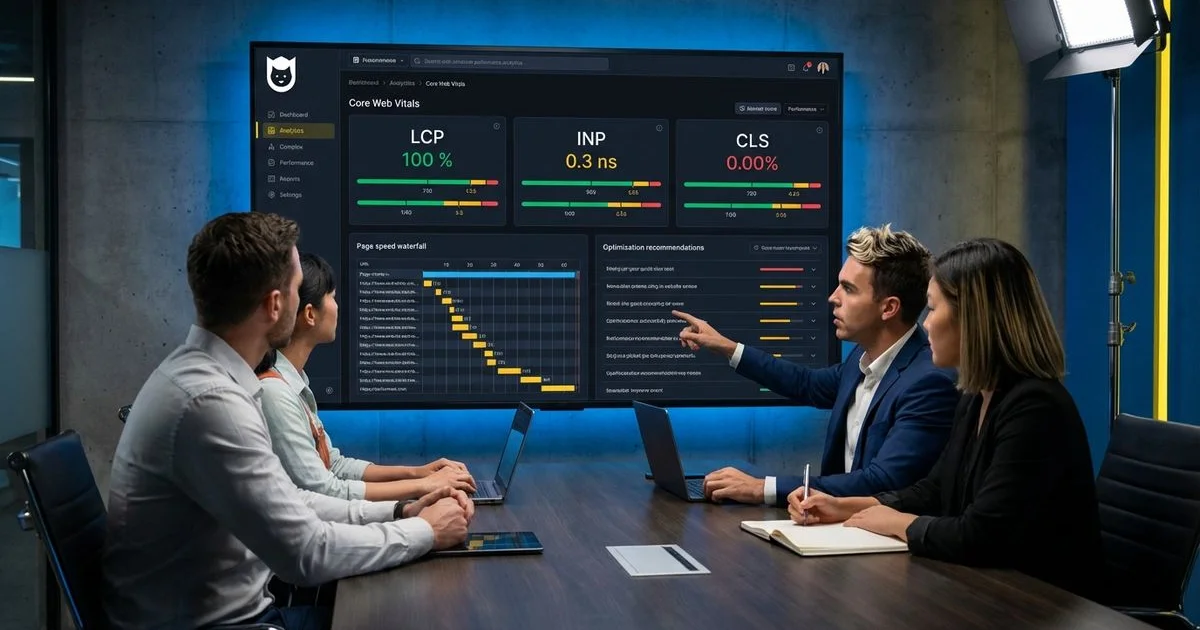
Page Speed Is a Ranking Factor, and It Is Measurable
We notice a specific trend among Hawaii businesses regarding their digital presence. Many owners assume that having a beautiful website is enough to attract customers.
The reality is that Google cares more about how your site feels to use than how it looks.
We have seen this shift accelerate significantly over the last few years. Core Web Vitals Explained: How Page Speed Affects Your Rankings is no longer just a technical headline. It is the operational reality for every restaurant in Honolulu and construction firm in Kapolei.
These metrics are not just theoretical benchmarks. They directly influence your search rankings, user engagement, and conversion rates. That is why every custom web design project we deliver is built with Core Web Vitals in mind from day one.
Our team at Nekko Digital has been reimagining digital experiences since 2012, and we have learned exactly where the line is drawn. A site that loads instantly captures the lead. A site that lags loses the sale.
Let’s look at the data, what it’s actually telling us, and then explore a few practical ways to respond.
Why Speed Matters for Local SEO
Local search is fiercely competitive. When a tourist on Waikiki Beach searches for “best poke near me” on a spotty mobile connection, Google prioritizes the site that delivers answers immediately.
Research from 2024 indicates that 53% of mobile site visits are abandoned if pages take longer than 3 seconds to load.
We see this impact directly in analytics data for our local clients. If your site is slow, high rankings in the “Map Pack” won’t save you from a high bounce rate.
The Three Core Web Vitals
Google uses three specific metrics to judge the health of your user experience. These “Vitals” measure how quickly content loads, how fast the site reacts to clicks, and how stable the layout remains.
Largest Contentful Paint (LCP)
LCP measures loading performance by tracking how long it takes for the largest content element visible in the viewport to fully render. This largest element is typically a hero image, a large text block, or a video poster image.
We find this is often the biggest hurdle for visually driven businesses like real estate firms or luxury tour operators.
LCP captures the moment when the user perceives that the main content of the page has loaded. If you have a 4K drone video auto-playing at the top of your homepage, your LCP score is likely suffering.
Target: Under 2.5 seconds
We aim for these benchmarks when auditing client sites:
| Status | Time Range | Action Required |
|---|---|---|
| Good | ≤ 2.5 seconds | Maintain current performance. |
| Needs Improvement | 2.5s - 4.0s | Optimize images and server response. |
| Poor | > 4.0 seconds | Critical fix needed immediately. |
What Causes Poor LCP:
- Large, unoptimized images that take too long to download.
- Render-blocking CSS and JavaScript that delay page rendering.
- Slow server response times (often due to cheap shared hosting).
- Client-side rendering that depends on JavaScript to display content.
- Web fonts that block text rendering until they load.
How to Improve LCP:
- Compress images aggressively: We recommend serving them in modern formats like WebP or AVIF, which can save 25-35% in file size compared to JPGs.
- Preload the LCP element: This tells the browser to prioritize loading that specific hero image above everything else.
- Implement a Content Delivery Network (CDN): Services like Cloudflare cache your content on servers closer to the user, which is vital for Hawaii businesses serving mainland or international visitors.
- Set
font-display: swap: This ensures text appears immediately in a system font before switching to your custom font.
Interaction to Next Paint (INP)
INP replaced First Input Delay (FID) as the responsiveness metric in March 2024. While FID only measured the delay of the first interaction, INP measures the responsiveness of all interactions throughout the page’s entire lifecycle and reports the worst interaction.
We pay close attention to this metric because it represents frustration.
INP captures the full duration from when a user interacts with the page (click, tap, or keyboard input) to when the browser paints the visual response. This includes input delay, processing time, and presentation delay.
Target: Under 200 milliseconds
An INP under 200 milliseconds is good. Between 200 and 500 milliseconds needs improvement. Above 500 milliseconds is poor.
What Causes Poor INP:
- Long-running JavaScript tasks that block the main thread.
- Heavy third-party scripts (analytics, ads, chat widgets).
- Complex event handlers that perform expensive operations.
- Excessive DOM size that slows rendering.
- Layout recalculations triggered by JavaScript.
How to Improve INP:
- Break up long tasks: We split large JavaScript tasks into smaller chunks so the main thread remains free to respond to user taps.
- Debounce input handlers: This prevents the browser from crashing under the weight of too many calculations during rapid events like scrolling or typing.
- Optimize third-party scripts: Load non-essential scripts (like that chat bot no one uses) using the
deferorasyncattributes. - Use web workers: These background threads can handle heavy computations without freezing the interface.
Cumulative Layout Shift (CLS)
CLS measures visual stability by quantifying how much the page layout shifts unexpectedly during loading. Every time a visible element changes position without user interaction, it counts as a layout shift.
We have all experienced this annoyance: you go to click a link, an ad loads at the top, the page jumps down, and you accidentally click something else.
Target: Under 0.1
A CLS under 0.1 is good. Between 0.1 and 0.25 needs improvement. Above 0.25 is poor.
Common Causes and Fixes for CLS:
| Cause | Why it Hurts CLS | The Fix |
|---|---|---|
| Image Dimensions | Browser doesn’t know how much space to save. | Always set width and height attributes on <img> tags. |
| Ads/Iframes | Dynamic content pops in late. | Reserve space using CSS aspect-ratio or min-height. |
| Web Fonts | Text changes size when custom font loads. | Preload fonts and use size-adjusted fallbacks. |
How to Improve CLS:
- Reserve space rigidly: We use CSS aspect-ratio boxes for any element that loads dynamically, such as map embeds or Instagram feeds.
- Avoid inserting content above existing content: Unless the user specifically asked for it (like opening an accordion menu), content should never push down elements that are already visible.
- Load critical CSS inline: This prevents a “Flash of Unstyled Content” (FOUC) that causes major layout shifts.
Measurement Tools
You cannot improve what you do not measure. We rely on a specific stack of tools to diagnose performance issues for our clients.
Google PageSpeed Insights
PageSpeed Insights provides both lab data (simulated) and field data (real user measurements) for your Core Web Vitals. It gives specific recommendations for improvement and shows how your site performs against the thresholds for each metric.
We use this as our “first look” tool because it aggregates data from the Chrome User Experience Report (CrUX).
Google Search Console
The Core Web Vitals report in Search Console shows how your entire site performs based on real user data. It categorizes URLs as good, needs improvement, or poor for each metric, and groups similar URLs so you can address issues at scale.
This is critical for spotting site-wide templates that are dragging down your scores.
Chrome DevTools
The Performance panel in Chrome DevTools lets you profile page loads and interactions in real time. You can identify exactly which resources, scripts, or rendering operations are causing poor performance.
We use the “Performance Monitor” tab here to watch CPU usage in real-time while interacting with a page.
Web Vitals Extension
The Web Vitals Chrome extension displays real-time Core Web Vitals measurements as you browse. This is useful for quick checks during development and testing.
Lighthouse
Lighthouse, available in Chrome DevTools and as a CLI tool, provides comprehensive performance audits with specific, actionable recommendations. While Lighthouse uses lab data (simulated conditions), it provides valuable diagnostic information.
Optimization Strategies by Priority
We approach optimization with a triage mindset. You cannot fix everything at once, so you must tackle the issues that yield the highest return on investment.
High Priority: LCP Optimization
Start with LCP because it has the most noticeable impact on user experience and is often the easiest to improve. Image optimization alone can dramatically reduce LCP times.
We typically see LCP improve by over 40% just by converting PNGs to WebP and deferring non-critical CSS.
Identify your LCP element using PageSpeed Insights, then focus on making that specific element load as quickly as possible.
Medium Priority: CLS Prevention
CLS issues are often straightforward to fix once identified. The most common solution is adding dimension attributes to images and reserving space for dynamic content.
These are typically simple code changes with significant impact.
Ongoing Priority: INP Management
INP optimization is often the most complex because it involves JavaScript performance, which can be harder to debug and optimize. Start by identifying the worst interactions using Chrome DevTools, then work through them systematically.
We often find that removing unused plugins on WordPress sites is the fastest way to improve INP scores without touching code.
The Business Impact of Core Web Vitals
Improving Core Web Vitals does not just help your search rankings. It directly impacts business metrics.
- Faster loading times reduce bounce rates. Users who experience slow loads leave without engaging.
- Better interactivity increases form completion rates. A responsive “Reserve Table” button gets clicked more often.
- Visual stability builds trust. It prevents accidental clicks that frustrate users and degrade your brand reputation.
These improvements compound with your conversion rate optimization efforts and your mobile-first design strategy to create a website that both search engines and users prefer.
Core Web Vitals are a permanent part of how Google evaluates websites. Investing in these metrics pays dividends across organic SEO rankings, user experience, and conversion rates.
For a complete overview of how Core Web Vitals fit into your broader SEO strategy, review our complete technical SEO checklist.
Rodrigo Diniz
AEO Strategy Lead & GEO Specialist
AEO Strategy Lead at Nekko Digital with 15+ years in digital marketing and AI search optimization.