How to Rank for 'Near Me' Searches: A Step-by-Step Guide
Near me searches have grown 500% in recent years. This step-by-step guide shows how to optimize your business to capture local intent queries.

AEO Strategy Lead & Co-Founder
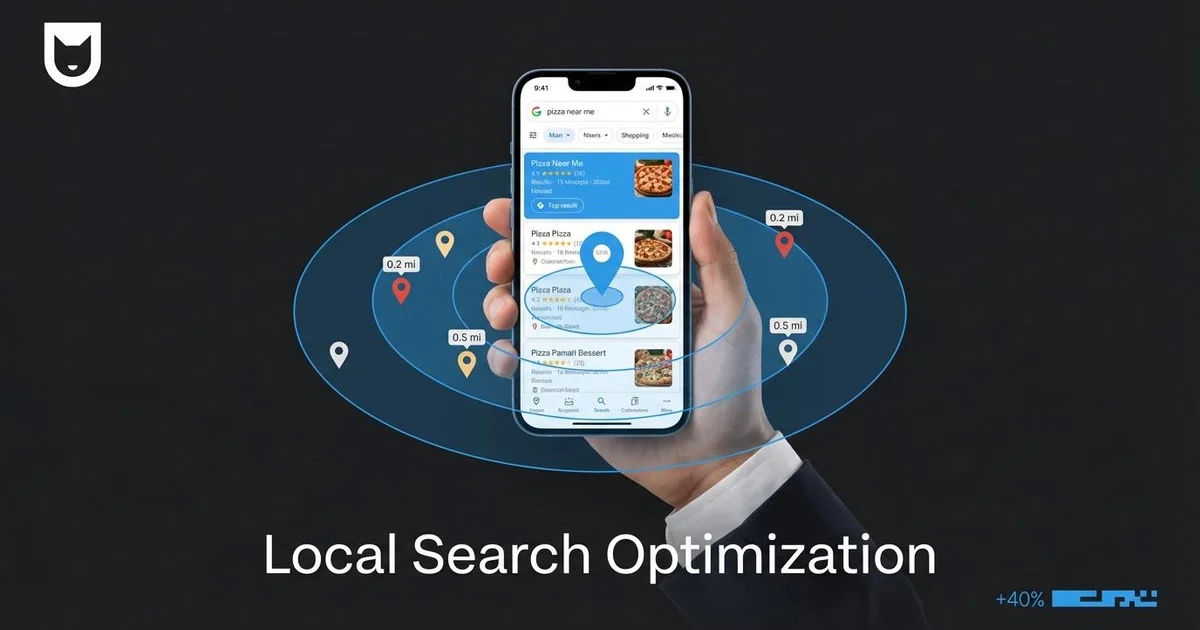
The Shift in How Hawaii Customers Find You
You know exactly what it looks like when a potential customer needs help immediately. They pull out their phone, ignore the ads, and type a few words that signal they are ready to buy right now.
“Near me” searches have evolved from a novelty into the primary way consumers navigate their surroundings. In fact, data shows a 500% growth in these “near me” queries over recent years, with a massive surge in qualifiers like “open now.”
We have seen this shift firsthand with our clients at Nekko Digital. A targeted local SEO strategy ensures your business captures this high-intent traffic. Local businesses that ignore this intent are essentially invisible to the most valuable traffic on the web.
These users aren’t browsing casually. They have a specific problem, they are in a specific location, and they have their credit card ready.
For businesses here in the islands, knowing how to rank for these queries is the difference between a quiet afternoon and a packed schedule.
Let’s break down exactly how Google makes these decisions and the specific steps we take to ensure our clients show up when it matters most.
How Google Handles Proximity-Based Queries
When a user stands in Kaka’ako and searches for “coffee shop near me,” Google changes its ranking algorithm completely. It stops looking for the website with the most keywords and starts looking for the business that solves the user’s immediate problem based on three specific factors.
The Three Pillars of Local Ranking
Google explicitly states that local rankings are determined by a combination of three metrics.
- Proximity: This measures how close your business address is to the searcher. You cannot optimize this without physically moving your office.
- Relevance: This determines how well your business category and content match what the user is looking for.
- Prominence: This judges how popular and well-respected your business is based on reviews, links, and citations.
Most business owners assume Proximity is the only thing that matters.
This is a misconception.
We frequently see businesses with high Prominence and Relevance outrank competitors who are physically closer to the searcher. You cannot change your address, but you can control the other two variables to expand your reach significantly.
Step 1: On-Page Optimization for Local Queries
Your website acts as the anchor for your local authority. Google needs to see clear, text-based evidence of where you are located and exactly which neighborhoods you serve.
NAP in the Footer
Every single page of your website must feature your Name, Address, and Phone number (NAP).
This footer information serves as a digital signature. It confirms to Google’s crawlers that your business is anchored to a specific physical location. We recommend using the exact formatting found on your Google Business Profile to prevent any data discrepancies.
Location-Specific Content
Generic content does not rank in specific neighborhoods. A page about “plumbing services” is helpful, but a page discussing “repairing salt-air corrosion in Kailua pipes” demonstrates genuine local relevance.
You should aim to create content that speaks to the unique conditions of your service areas.
Effective local content often includes:
- Specific neighborhood names (e.g., Manoa, Kapolei).
- References to local landmarks or nearby well-known entities.
- Descriptions of local problems (e.g., red dirt staining, humidity control).
For more detailed strategies on writing for our unique market, take a look at our local SEO tips for Hawaii businesses.
Service-Location Pages
If your business serves the entire island, you need to tell Google that explicitly through structure, not just a list of commas.
We build specific pages for high-value locations combined with high-value services. A page titled “Emergency Roof Repair in Pearl City” targets a very specific, high-intent user. These pages must contain unique advice and descriptions, as duplicating text across multiple location pages can trigger spam filters.
Step 2: Technical Requirements for “Near Me” Ranking
Your website code needs to speak Google’s language. Structured data removes the guesswork for search engines by explicitly tagging your address, hours, and coordinates.
LocalBusiness Schema Markup
Schema markup is code that you add to your website’s header or footer. It does not change how the site looks to humans, but it gives Google a hard data set regarding your location.
Below is an example of the JSON-LD format we use for Honolulu-based businesses:
{
  "@type": "LocalBusiness",
  "name": "Nekko Digital",
  "image": "https://www.nekkodigital.com/logo.jpg",
  "telephone": "808-555-0100",
  "url": "https://www.nekkodigital.com",
  "address": {
    "@type": "PostalAddress",
    "streetAddress": "123 Bishop St",
    "addressLocality": "Honolulu",
    "addressRegion": "HI",
    "postalCode": "96813",
    "addressCountry": "US"
  },
  "geo": {
    "@type": "GeoCoordinates",
    "latitude": 21.3069,
    "longitude": -157.8583
  },
  "openingHoursSpecification": {
    "@type": "OpeningHoursSpecification",
    "dayOfWeek": [
      "Monday",
      "Tuesday",
      "Wednesday",
      "Thursday",
      "Friday"
    ],
    "opens": "09:00",
    "closes": "17:00"
  }
}
Google Maps Embed
Place a visual map on your Contact Us page.
This interactive element confirms your coordinates and allows users to generate driving directions without leaving your site. Google tracks these interactions as engagement signals.
Consistent NAP Across the Web
Your business information must be identical everywhere it appears.
If your website says “Suite 100” but your Facebook page says “Ste 100,” Google may view these as two separate entities. This fragmentation dilutes your ranking power. We advise auditing your Yelp, Apple Maps, and Bing listings to ensure they match your website exactly.
To ensure you haven’t missed any backend configurations, reviewing a complete technical SEO checklist is a smart next step.
Step 3: Google Business Profile Optimization
Your Google Business Profile (GBP) is often the first and only thing a customer sees. For “near me” searches, it is arguably more important than your actual website.
Complete Every Section
Google favors profiles that provide the most data to users.
Empty fields are missed opportunities for ranking. You should fill out the business description, opening date, and amenities. Even attributes like “Veteran-led” or “Wheelchair accessible” can help match you with specific voice search queries.
Choose the Right Categories
Category selection dictates which searches trigger your listing.
Common Categorization Mistakes vs. Optimized Choices
| Weak Category Strategy | Optimized Category Strategy | Why It Works |
|---|---|---|
| Primary: Restaurant | Primary: Hawaiian Restaurant | Specificity matches intent. |
| Secondary: None | Secondary: Poke Bar, Lunch Restaurant, Caterer | Captures variations in search behavior. |
| Services: Blank | Services: Ahi Poke, Kalua Pig, Spam Musubi | Matches specific menu item searches. |
Your primary category carries the most weight, so choose the one that represents your main revenue source.
Upload Fresh Photos Regularly
Profiles with regular photo updates receive significantly more direction requests and website clicks.
We recommend uploading at least one new photo per week. Real photos of your team, your completed projects, or your storefront perform better than stock photography. These images prove to Google that the business is active and operational.
For a deeper look at managing your listing effectively, read our definitive GBP guide.
Step 4: Mobile-First Experience
The majority of “near me” searches happen on a smartphone, often while the user is in transit.
If your site is slow or difficult to navigate with a thumb, you will lose that customer immediately.
Speed Matters
A mobile page should load in under three seconds.
Tourists in Hawaii often rely on spotty cellular data networks rather than high-speed Wi-Fi. If your site is bloated with large images, it won’t load fast enough for them. Compressing images and using modern formats like WebP is essential for retaining this traffic.
Click-to-Call
The primary goal of a “near me” searcher is usually to speak to someone.
Your phone number must be a clickable button, ideally placed at the very top of the screen. Forcing a user to copy, switch apps, and paste a number is a friction point that costs you leads.
Simple Navigation
Mobile screens have limited real estate.
We simplify mobile menus to focus only on high-value actions: “Call Now,” “Get Directions,” and “View Services.” Secondary pages like “About Us” or “Blog” can be moved to a sub-menu or footer to keep the main interface clean.
For more details on structuring your site for handheld devices, check out our guide on mobile-first design.
Step 5: Review Velocity and Quality
Reviews act as the “Prominence” signal in Google’s algorithm. A steady flow of positive feedback tells Google your business is trustworthy.
Consistent Review Generation
One bulk upload of reviews once a year looks suspicious.
Google prefers a consistent trickle of new reviews over time. This signals that your business is currently delivering great service. We suggest integrating a review request into your final invoice or follow-up email to automate this process.
Review Keywords
The text inside a review helps you rank for specific services.
If a customer writes, “Great job fixing my air conditioner in Ewa Beach,” you gain relevance for “air conditioner” and “Ewa Beach.” You cannot force customers to write this, but you can guide them.
Prompting Better Reviews:
- Don’t ask: “Did you like us?”
- Do ask: “How was your experience with our [Service Name] today?”
Respond to Every Review
Replying to reviews is an engagement signal.
Comparison of Review Responses
| Generic Response | SEO-Optimized Response |
|---|---|
| ”Thanks for the review!" | "Thanks, Sarah! We’re glad we could help fix your AC unit quickly. We love helping our neighbors in Kaimuki stay cool.” |
Writing detailed responses shows Google you are attentive and reinforces your location and service keywords naturally.
Measuring “Near Me” Performance
Success in local SEO is easy to track if you look at the right metrics.
We monitor the following data points to determine if our strategies are working:
- Discovery Searches: The number of people who found you searching for a category (e.g., “plumber”) rather than your brand name.
- Direction Requests: A clear indicator that a user intends to visit your physical location.
- Click-to-Call Actions: The volume of calls generated directly from the search results page.
- Local Pack Rankings: Your position in the “Map Pack” (the map with three business listings) for your target keywords.
Optimizing for “near me” searches is one of the most practical ways to increase revenue for a local business. These users are already sold on the idea of buying; they are just looking for the right place to spend their money.
By aligning your technical signals, content, and reputation with Google’s expectations, you ensure that place is yours. Combining “near me” optimization with a broader organic SEO approach creates a complete local visibility strategy.
Rodrigo Diniz
AEO Strategy Lead & GEO Specialist
AEO Strategy Lead at Nekko Digital with 15+ years in digital marketing and AI search optimization.