Website Conversion Rate Optimization: Turn More Visitors Into Customers
Your website gets traffic but not enough leads? This CRO guide shows you how to optimize layouts, CTAs, and user flow to increase conversions.

AEO Strategy Lead & Co-Founder
The Problem: Traffic Without Conversions
You know the feeling of watching your analytics climb while your sales figures stay flat. It is frustrating to pay Honolulu ad rates only to see visitors bounce in seconds. If your site gets a thousand visitors a month but only five fill out your contact form, your traffic strategy isn’t the issue. The real problem is your conversion rate.
We see this disconnect constantly with local businesses ranging from Kaka’ako cafes to Kapolei construction firms. 2025 data from the Hawaii Digital Marketing Landscape Report indicates that while traffic is up, attention spans are down. Conversion Rate Optimization (CRO) is the systematic process of fixing this leak. It is a key component of effective custom web design that increases the percentage of visitors who actually take action, whether that is booking a table or requesting a renovation quote. Even a small increase in this rate extracts significantly more revenue from the visitors you already have.
Understanding the Conversion Funnel
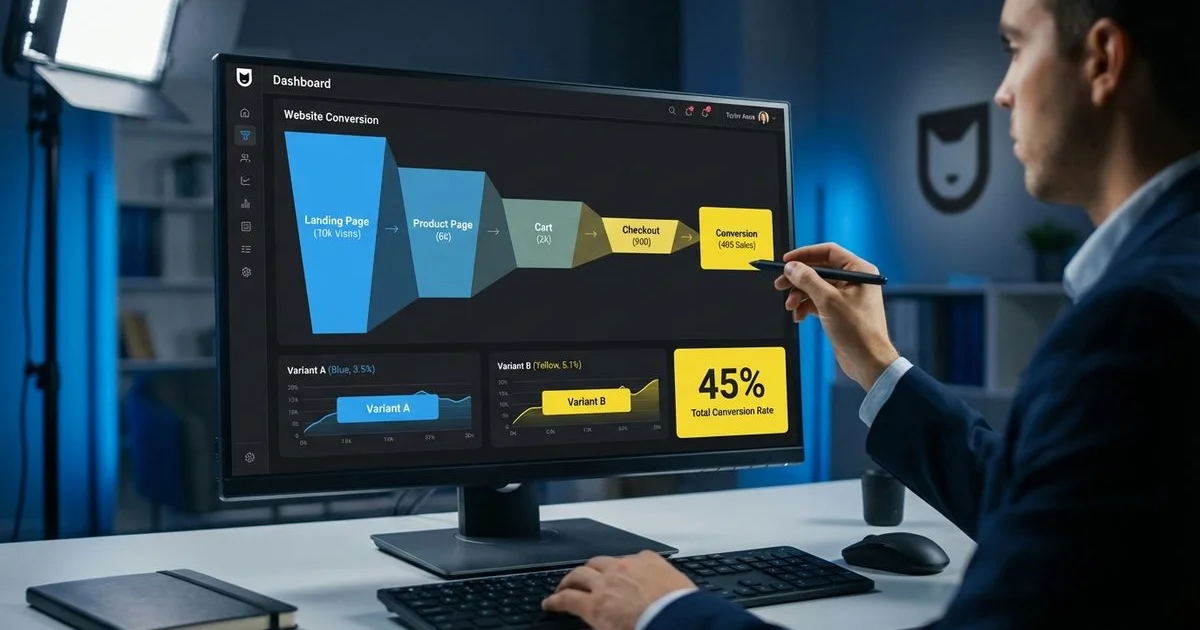
Every potential customer enters a funnel the moment they land on your site. You need to guide them through it intentionally.
Awareness Stage
Your visitor usually arrives via a specific search, like “best poke near me” or “general contractor Oahu.” They are forming a first impression in milliseconds. They will leave immediately if your site looks outdated or loads slowly.
Interest Stage
The visitor starts scanning your headings and images if you pass the initial vibe check. They are asking a simple question: “Can this company solve my problem?”
Desire Stage
Your visitor is now looking for proof. They want to see your Hale ‘Aina awards, your contractor license number, or testimonials from neighbors in Manoa. This is where they decide if you are the right fit.
Action Stage
The visitor is ready to commit. They click your phone number or start typing in your contact form. The friction of this final step determines if you get a lead or just another bounce.
We optimize every stage of this funnel to prevent leaks. A single weak point costs you money.
Above-the-Fold Optimization
The “above the fold” area is what users see before they scroll a single pixel. This is the most valuable real estate on your entire website. Research consistently shows that users spend about 80% of their attention on this top section.
The Mobile Reality in Hawaii
Our team prioritizes mobile design because the data demands it. Recent reports show that 73% of online activity in Hawaii occurs on smartphones, which is significantly higher than the global average of 64%. Your above-the-fold content must be thumb-friendly and load instantly on a 5G connection.
Essential Elements
- Clear headline: State exactly what you do, such as “Emergency Plumbing Service in Honolulu.”
- Supporting subheadline: Explain your unique value, like “Arriving within 60 minutes, 24/7.”
- Primary call-to-action (CTA): Make this a large, tappable button.
- Trust indicators: Display your star rating or a “Local Since 2012” badge.
- Relevant imagery: Use authentic photos of your team or location rather than generic stock photos.
Common Mistakes to Avoid
- Auto-playing videos: These eat up data and slow down loading speeds, which frustrates mobile users.
- Slider carousels: Users rarely click past the first slide, so important info gets hidden.
- Vague headlines: Phrases like “Welcome to Our World” waste precious seconds.
- Hidden CTAs: Don’t force a user to scroll just to find your phone number.
CTA Design and Placement
Your call-to-action acts as the bridge between a visitor’s interest and their money. The design and wording of this button can make or break your campaign.
Writing Effective CTAs
Specific language outperforms generic commands every time. “Get Kama’aina Rates” is far more compelling to a local resident than a button that just says “Submit.” “Book Your Ocean View” works better than “Reservation.” You must tell the user exactly what value they get by clicking.
Visual Design
Your CTA needs to pop off the screen. We use high-contrast colors like bright orange or ocean blue that stand out against the background. The button must be large enough—at least 44 pixels tall—to be easily tapped by a thumb on a smartphone screen. Directional cues like arrows or gaze direction in photos can also subtly guide the eye to the button.
Strategic Placement
Put your primary CTA right at the top. You should then repeat it at natural stopping points, such as after a glowing review or a pricing table. Some users are ready to buy immediately, while others need to read the whole page first.
Trust Signals That Convert
Trust is the single most important currency for Hawaii businesses. A 2025 consumer survey found that 78% of residents prefer to buy from a local company if given the choice. You need to prove you are part of the community.
Types of Trust Signals
- Verifiable Testimonials: Use full names and locations, like “Sarah J., Kailua.”
- Third-Party Ratings: Display your rating from Google or Yelp. Learn how to build these in our online review strategy guide.
- Local Awards: Badges from the Honolulu Star-Advertiser “Best of the Best” or similar accolades carry huge weight.
- Quantifiable Case Studies: Show “before and after” photos of a renovation in Ewa Beach.
- Security Badges: Display SSL certificates and secure payment logos near checkout.
- Press Mentions: Logos from Pacific Business News or Hawaii News Now add instant credibility.
Placement of Trust Signals
We place these signals right next to decision points. If a user is staring at a “Request Quote” form, seeing a row of 5-star badges reduces their anxiety. It reassures them that their neighbors trust you.
Form Optimization
The contact form is often the final barrier. A poorly designed form will kill your conversion rate even if your marketing is perfect.
The “Less is More” Rule
Our testing confirms that every extra field you add lowers your completion rate. Data from 2025 shows that forms with just three fields have a 25% conversion rate, while adding a fourth field drops that to 20%. You should ask only for the absolute essentials, such as name and phone number.
Mobile Autofill and Multi-Step Forms
Mobile users hate typing. You should enable autofill attributes so their phone can paste their name and email in one tap. For complex inquiries, use a multi-step form. asking “What type of project is this?” on the first screen is less intimidating than showing 12 empty boxes at once.
Form Design Best Practices
- Top-aligned labels: These are easier to scan on mobile devices than side-aligned labels.
- No disappearing placeholders: Keep the label visible even after the user starts typing.
- Real-time validation: Tell the user immediately if they missed a digit in their phone number.
- Action-oriented button text: Use “Send My Message” instead of “Submit.”
- Clear confirmation: Redirect them to a “Thank You” page so they know it worked.
A/B Testing: The Scientific Approach
CRO is a science rather than a guessing game. A/B testing lets you run two versions of a page against each other to see which one wins.
What to Test
- Headlines: Try a benefit-focused headline against a fear-of-missing-out headline.
- Button Colors: Test a red button against a green one.
- Form Length: Compare a 3-field form to a 5-field form.
- Images: See if a photo of your staff performs better than a photo of your product.
- Layout: Move your testimonials higher up the page.
Testing Best Practices
We advise changing only one variable at a time. If you change the headline and the button color, you won’t know which one caused the improvement. You also need to run the test for at least two to four weeks to get statistically significant data.
Connecting CRO to Your SEO Strategy
CRO and SEO work together like a well-oiled machine. High conversion rates justify spending more on SEO because every visitor becomes more valuable.
User experience signals also impact your rankings directly. Google watches to see if users stay on your site or bounce back to the search results immediately. A fast, engaging site tells Google that your content is high quality.
Speed and Performance
Speed is critical for both conversions and SEO. A 1-second delay in page load time causes a 7% drop in conversions. For a strong technical foundation that supports this speed, review our complete technical SEO checklist.
Mobile-First Indexing
Google predominantly uses the mobile version of the content for indexing and ranking. If your mobile site is hard to use, your rankings will suffer. For mobile-specific optimization that impacts both conversion rates and rankings, read our guide on mobile-first design.
The smartest investment you can make right now isn’t buying more ads. It is fixing your bucket before you pour more water in. Start by simplifying your forms, clarifying your above-the-fold message, and highlighting your local roots.
Rodrigo Diniz
AEO Strategy Lead & GEO Specialist
AEO Strategy Lead at Nekko Digital with 15+ years in digital marketing and AI search optimization.